How to make a word search with your own vocabulary words
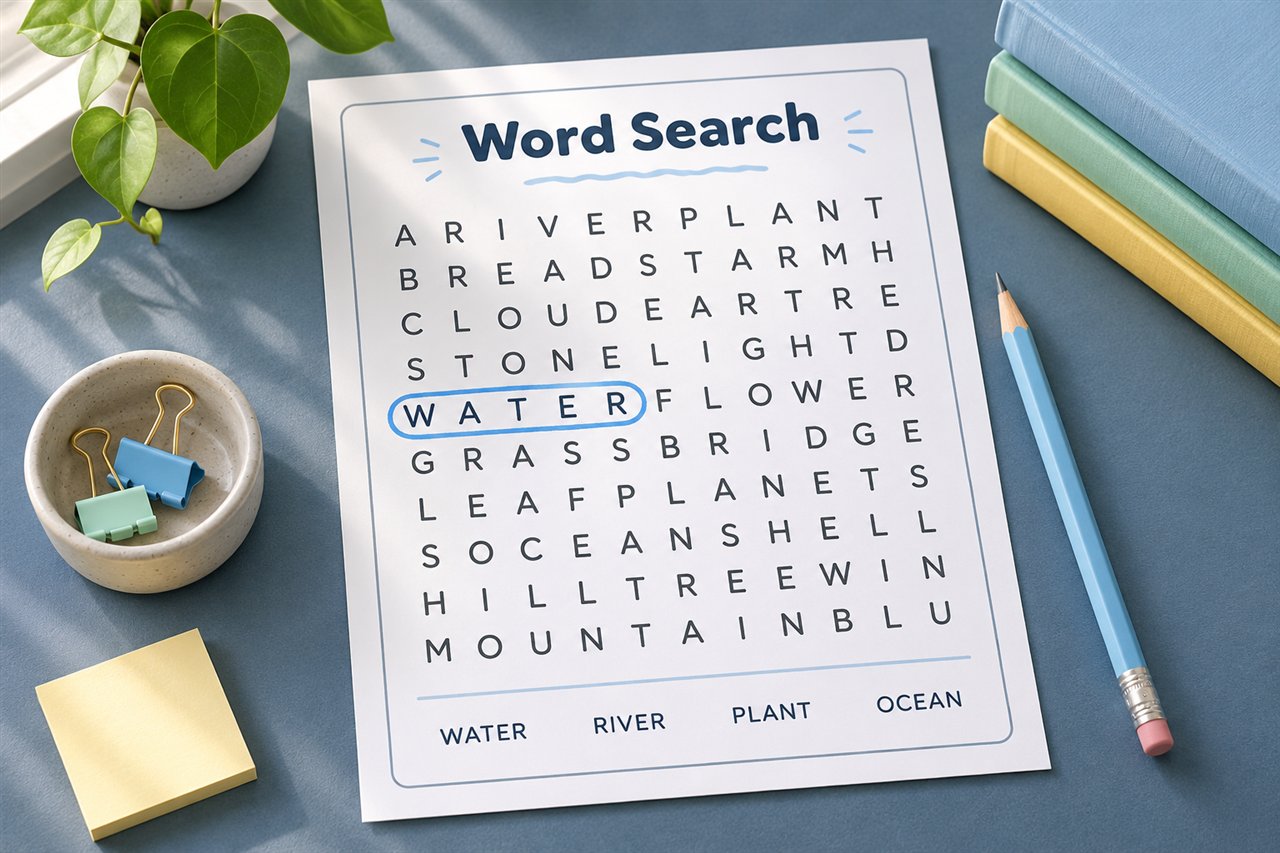
Make a printable word search with your own vocabulary words. Try a sample plant puzzle, choose grid size and directions, and print a marked answer key.
Choose a word list that fits the lesson
Try a short group of connected words such as seed, soil, stem, leaf, root, and plant. Read the words before starting the puzzle. A small list makes it easier to focus on recognizing the complete spelling of each word. For a larger group of vocabulary words, split the list into two themes or create a larger grid.
Choose the grid and directions together
The generator accepts English words with letters only. Enter words separated by commas, spaces, or new lines. Choose a grid that can fit your longest entry. For example, a word with 14 letters cannot fit into a 12-by-12 grid, so choose 16 or larger.
- First puzzles. Use a short list and turn off diagonals and backwards words. The remaining paths go left to right or top to bottom.
- More challenge. Enable diagonals or backwards words one at a time. Tell learners which directions the puzzle uses so they have a clear search strategy.
- Classroom handouts. Include the answer key for yourself and print only the student page for the class.
Teach a repeatable search strategy
Pick the word stem, then scan the grid for S. At each match, look for the next letter T in an allowed direction. Keep moving in that same direction until you find the whole word. Circle it and cross it off the word bank. If several listed words share a starting letter, search for them together to reduce repeated scanning.
Print and check the key
Download the puzzle PDF and look at the solution page before printing. The key shades the placements made by the generator. A short word can also appear by chance in copied letters, so check any alternate answer against the grid and the directions you allowed.
Build a sample puzzle for a plant lesson
Enter seed, soil, root, stem, leaf, flower, and water. Pick a 12-by-12 grid and turn off diagonal and backwards words for a first puzzle. Before learners search, ask them to say one thing each word means in the lesson. For example, they might point to the stem in a class drawing and explain where to find it.
After they locate root, ask learners to compare the spelling with the word bank and circle the complete word. If two words share a starting letter, search for both at once. The goal is to read the spelling sequence in order, so ask learners to say the word once they have circled it.
Troubleshoot grid settings
| Problem | What to change |
|---|---|
| The longest word will not fit | Increase the grid or use a shorter entry that still fits the lesson. |
| The list is long and the page looks crowded | Split the list into two puzzles or choose a larger grid. |
| New readers get stuck | Turn off backwards and diagonals, and start with fewer familiar words. |
| A student circles a word in a different spot from the key | Check the letters and direction before marking it wrong. Repeated letter patterns can form words by chance. |
For terms containing spaces, punctuation, or other characters the tool does not accept, use an individual word from the term or choose a different activity. For example, use plant and cell as separate entries when the lesson is about plant cells, then discuss the two-word phrase aloud.
Use the answer key to guide review
Check that all target words appear in the preview and download the marked answer page for reference. Keep that page separate when printing student copies. For a follow-up, have each learner choose two circled words and write a sentence explaining how they are connected. If you want both a puzzle and a spelling test from the same list, try the weekly spelling packet workflow.
Try it with your own worksheet
Customize the page, check the preview, and download a free PDF.