How to practice multiplication facts one table at a time
Practice multiplication facts with printable times table worksheets, worked arrays, short mixed sets, and answer-key checks for the 6 and 7 tables.
Show what the facts mean
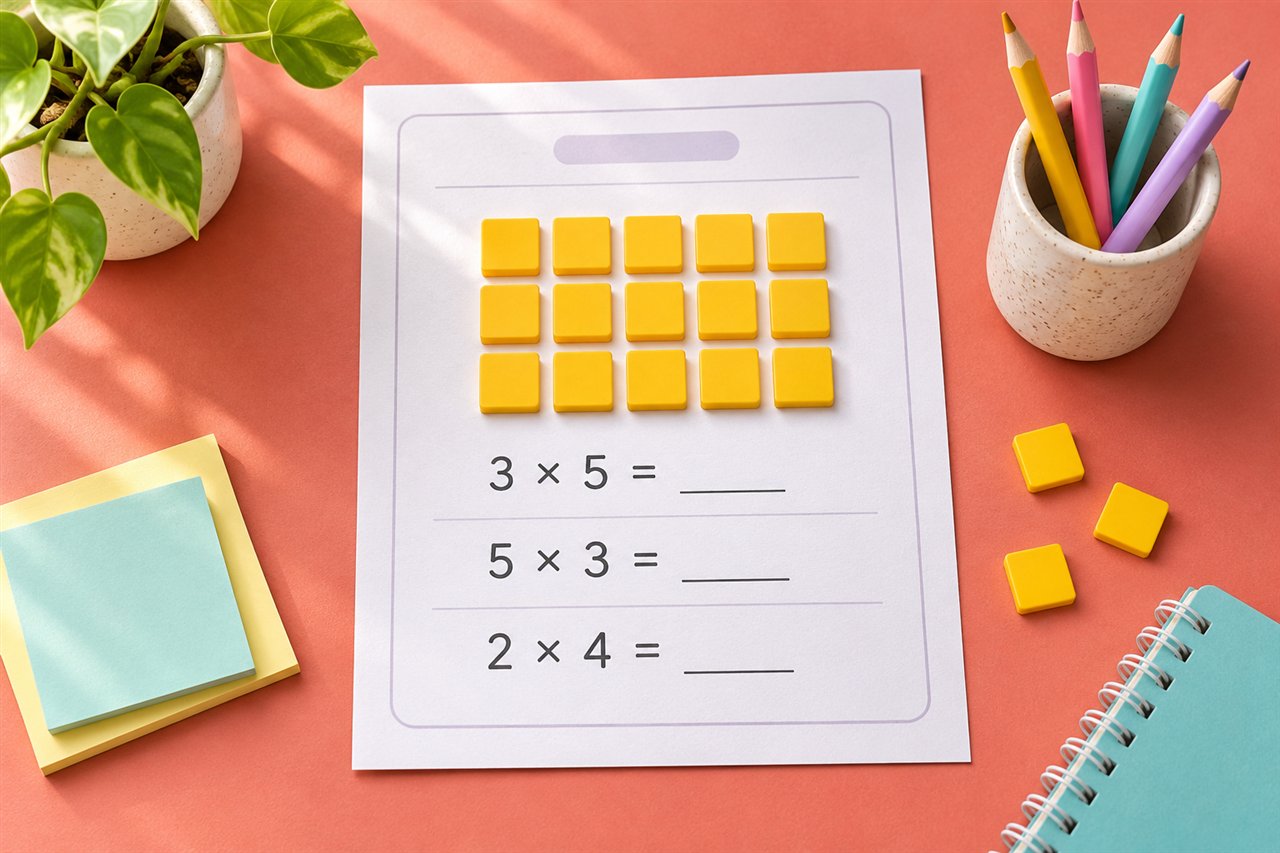
For the 6 times table, build 6 × 4 as six rows of four counters. Count one row, then count the rows. Turn the array around and compare it with 4 × 6. Both arrays contain 24 counters. Sketch the same model on the back of the worksheet so the learner can refer to it while solving.
Set up a small set of problems
In the Multiplication Generator, enter 6 under Times tables. Choose ten problems with a largest factor of 10 and leave Avoid repeated facts on. Keep the time limit at zero while the learner is deciding which strategies to use. Horizontal equations leave room to add a note, while vertical equations may look more familiar to some learners.
Practice pairs that are easy to explain
If 6 × 4 = 24 is straightforward, ask how to work out 6 × 5. One more group of six makes 30. Try working backward from 6 × 10 = 60 to find 6 × 9. Ask the learner to explain the extra or missing group before they write the answer.
Move from one table to mixed practice
When a learner can explain and solve several problems from one table, mix that table with a familiar one. For example, enter 5, 6 and print a short set. Keep the answer key separate, then compare it after the learner finishes. Mark the facts that needed a strategy and try a second short set later.
If you want to reprint an identical worksheet after reviewing the mistakes, keep the same Worksheet seed and other settings. To generate a fresh set with the same difficulty, select Make a new version.
Two short sessions for the 7 times table
Session one. Put out seven groups of three counters or draw the groups on paper. Ask the learner to show 7 × 3 and tell you how many counters there are. Then ask what happens when you add one more counter to each group. Seven more counters turn 7 × 3 = 21 into 7 × 4 = 28. Write those equations next to the array.
Session two. Print a short mix of 5 and 7 facts, with the answer key separate. Ask the learner to mark two problems that needed a strategy. If 7 × 6 is difficult, work from 7 × 5 = 35 and add one group of seven. If 7 × 9 is difficult, start from 7 × 10 = 70 and subtract seven. Compare both answers with the key after the learner explains how they found them.
Choose settings that fit the goal
| Goal | Worksheet settings |
|---|---|
| Introduce a new table | One table, a short set, no time limit, and a blank area for drawing groups. |
| Revisit facts from last week | Two tables mixed together, repeated facts off, and a separate answer key. |
| Review progress later | Save the worksheet seed and write down the table, largest factor, and problem count. |
| Make a fresh version for another session | Keep the same difficulty settings and choose Make a new version. |
If the generator says there aren’t enough unique problems, reduce the problem count, choose another table, or turn off Avoid repeated facts. With one table and a largest factor of 5, there are only six different factors in the second position because zero is included.
Review explanations as well as scores
A correct answer can come from several strategies. Ask the learner to show how they got one or two answers, especially if the same type of problem causes trouble. Choose the next printout based on that explanation and the errors you see. The 10-minute practice routine gives a simple way to fit the model, worksheet, and review into one short session.
Try it with your own worksheet
Customize the page, check the preview, and download a free PDF.